
How to Buy PlayStation Gift Cards in Nigeria with Crypto (2026 Guide)

Published by Jour Cards Store • Updated October 2026

Want to buy PlayStation gift cards in Nigeria with crypto?
Whether you're planning to purchase a new PS5 game, download extra content for your PS4, or add funds to your PlayStation Wallet, cryptocurrency offers another way to pay for digital gaming products.
For Nigerian gamers who hold Bitcoin, USDT, Ethereum, or other digital currencies, buying a PlayStation gift card online can be a convenient alternative to paying directly with a bank card.
At Jour Cards Store, you can explore digital gift cards and cryptocurrency payment options for gaming, shopping, and entertainment.
But before purchasing a PlayStation gift card, there's one essential detail to understand: the gift card's country or region must match your PlayStation account's country or region.
In this 2026 guide, we'll explain how to choose a compatible PlayStation gift card, buy it with cryptocurrency through Jour Cards, redeem your code, and avoid common mistakes.
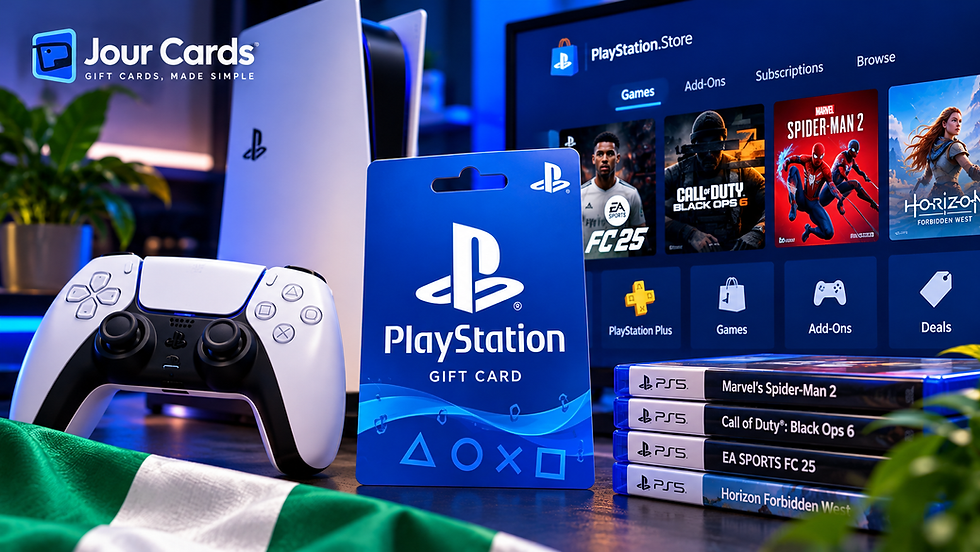
🎮 What Is a PlayStation Gift Card?
A PlayStation gift card is a prepaid voucher that can add funds to an eligible PlayStation Network (PSN) wallet.
Instead of entering a bank card every time you want to buy something, you can redeem a compatible PlayStation Store gift card and use the available wallet balance for eligible digital purchases.
Depending on your account region and PlayStation Store availability, wallet funds can help you purchase:
PS5 and PS4 digital games
Downloadable content (DLC)
In-game items and add-ons
Eligible PlayStation Plus purchases or subscriptions
Other supported PlayStation Store content
For example, if you have a PlayStation account registered in the United States, you would generally need a PlayStation Store gift card issued for that same country.
A UK gift card is not automatically interchangeable with a US gift card, even if the value appears similar.
To learn more about what PlayStation Wallet credit can be used for, read our guide to using PlayStation gift cards.
🇳🇬 Why Buy PlayStation Gift Cards with Crypto in Nigeria?
Nigerian gamers may encounter difficulties when purchasing international digital products, particularly when a payment method is not accepted by the relevant online store.
Cryptocurrency can provide another payment option when buying gift cards from a retailer that supports crypto checkout.
1. Use cryptocurrency you already own
If you already hold Bitcoin, USDT, or another supported cryptocurrency, you may prefer to spend part of your balance on gaming rather than first converting it into another payment method.
2. Explore prepaid gaming options
PlayStation gift cards provide a way to set aside a fixed amount for eligible gaming purchases.
This can make it easier to plan spending on new games, downloadable content, or other supported PlayStation Store products.
3. Shop for digital products online
Digital gift cards are designed for electronic redemption. Depending on the retailer's delivery process, you can receive a code without purchasing a physical card.
4. Discover more gaming products
PlayStation isn't the only gaming category worth exploring.
If you also play PC games, see our guide to buying Steam gift cards in Nigeria with crypto.
Important: Paying with crypto does not bypass PlayStation's account-region restrictions. Always check compatibility before buying.

🛒 How to Buy PlayStation Gift Cards in Nigeria with Crypto
Ready to explore your options? Here's how to approach a PlayStation gift card purchase through Jour Cards.
Step 1: Visit the Jour Cards PlayStation Store
Start by opening the Jour Cards PlayStation Gift Cards Store.
Browse the available PlayStation products and review their listed country, currency, denomination, and other product details.
You can also explore the wider selection of digital products through the Jour Cards main store.
Step 2: Check Your PlayStation Account Region
Before selecting a gift card, confirm the country or region associated with your PlayStation account.
This step is especially important for customers purchasing from Nigeria because a card marketed in another currency or country may not work with their account.
For example:
A US PlayStation gift card is generally intended for a US PlayStation account.
A UK PlayStation gift card is generally intended for a UK PlayStation account.
A card issued for another country should not be assumed to work simply because you live in Nigeria.
Do not purchase a gift card until you've confirmed that its region matches your account.
Step 3: Choose a Suitable Gift Card Value
Once you've found a compatible product, choose a denomination that fits your gaming budget.
Check the displayed price and make sure you understand the product's terms before proceeding.
The available values, currencies, and prices may change, so use the current product listing rather than relying on examples from an article.
Step 4: Select a Supported Cryptocurrency
Continue to checkout and review the payment methods currently available for your order.
Depending on the checkout options, these may include cryptocurrencies such as Bitcoin, USDT, Ethereum, or other supported assets.
Only select a currency and blockchain network that are explicitly supported by the payment instructions.
You can learn more about the purchasing process in our guide to buying digital gift cards with cryptocurrency.
Step 5: Complete Your Crypto Payment
Follow the payment instructions shown at checkout.
Before sending funds, verify:
The cryptocurrency you've selected
The blockchain network
The destination address or payment request
The exact amount required
Any payment deadline displayed
Cryptocurrency transfers can be difficult or impossible to reverse, so accuracy matters.
Step 6: Receive and Check Your Gift Card Code
After the order is processed, follow the retailer's instructions to access your digital gift card code.
Delivery methods and processing times can vary.
Keep your order confirmation and never share an unused redemption code publicly.
Step 7: Redeem Your Compatible Code
Sign in to the PlayStation account that matches the gift card's country or region, then redeem the code through PlayStation Store.
We'll explain the redemption process below.
Ready to browse?
🌍 PlayStation Gift Card Regions: What Nigerian Buyers Must Know
This is one of the most important sections of the entire guide.
Your physical location and your PlayStation account region are not necessarily the same thing.
A gamer living in Nigeria might have an account registered in a different country. However, that does not mean every international gift card will work.
PlayStation voucher codes are country- or region-specific, and the voucher must match the country or region of the account where it is redeemed.
How do you choose the correct card?
First, check the country or region registered to your PlayStation account.
Next, compare that information with the country or region shown on the gift card's product listing.
Only proceed when the details match.
Your PlayStation account | Gift card to look for |
United States | US PlayStation Store gift card |
United Kingdom | UK PlayStation Store gift card |
Another supported country | Gift card issued for that same country |
Region unclear | Confirm your account region before purchasing |
These are compatibility examples, not a claim that all listed regions or denominations are currently available at Jour Cards.
Can you change your PlayStation account region?
PlayStation generally does not allow you to change the country or region selected when an account was created.
For additional guidance, consult the official PlayStation account country and region support page.
Our advice for Nigerian gamers: Never choose a gift card based only on its price, currency, or popularity. Choose it based on your actual PlayStation account region.

🎟️ How to Redeem a PlayStation Gift Card on PS5, PS4, or Online
Once you've received a compatible PlayStation Store voucher, redemption is straightforward.
Redeem on PS5
Sign in to the correct PlayStation account.
Open PlayStation Store.
Access the store menu.
Select Redeem Code.
Enter your 12-digit voucher code.
Follow the on-screen instructions to confirm redemption.
Redeem on PS4
Open PlayStation Store.
Find the Redeem Codes option.
Enter the 12-digit voucher code.
Confirm the redemption.
Redeem through a web browser
Sign in to PlayStation Store.
Open your account profile menu.
Select Redeem Code.
Enter the code and continue.
For the latest instructions, visit the official PlayStation voucher redemption guide.
If you'd like a more detailed explanation of adding funds to your wallet, read our step-by-step PlayStation Wallet funding guide.
Remember that voucher codes are normally single-use and cannot be transferred to another account after redemption.
💰 Which Cryptocurrency Is Best for Buying PlayStation Gift Cards?
The best cryptocurrency depends on what Jour Cards currently supports at checkout, what you already hold, and the total cost of completing the transaction.
Bitcoin (BTC)
Bitcoin is one of the most widely recognized cryptocurrencies.
If you already own BTC, you may find it convenient to use a supported Bitcoin payment option rather than exchange your holdings first.
Check the network fees and the payment amount before sending.
Tether (USDT)
USDT is a stablecoin designed to track the value of the US dollar.
Some customers prefer it because its price is generally less volatile than Bitcoin's, although stablecoins are not risk-free.
USDT can operate on different blockchain networks, so always use the exact network specified at checkout.
Ethereum (ETH)
Ethereum is another cryptocurrency that may be available through supported crypto payment services.
Transaction costs can vary depending on the network and current conditions.
Other cryptocurrencies
Additional cryptocurrencies may be available depending on the payment provider and order.
For a broader introduction to using cryptocurrency for gift card purchases, explore our Bitcoin Cash gift card guide.
You can also review Jour Cards' Pay with Crypto page for more information about cryptocurrency payments.
Important: Always rely on the live checkout screen for supported coins, networks, fees, and payment instructions.
⚠️ Common Mistakes to Avoid When Buying PlayStation Gift Cards
Buying a digital gift card can be simple, but a few mistakes can lead to frustrating problems.
Buying the wrong region
This is the biggest risk.
A gift card issued for the wrong PlayStation account region may not be redeemable.
Solution: Confirm your account country and the card's country before paying.
Sending cryptocurrency on the wrong network
A payment can fail or funds can be lost if the cryptocurrency network does not match the checkout instructions.
Solution: Verify the coin, network, address, and amount before sending.
Assuming every PlayStation card works in Nigeria
Being located in Nigeria does not automatically make a foreign-region voucher compatible with your account.
Solution: Focus on account-region compatibility, not physical location alone.
Entering the code incorrectly
Typing mistakes can prevent successful redemption.
Solution: Copy the code carefully and check every character.
Trying to redeem an already-used code
PlayStation voucher codes are generally single-use.
Solution: Keep your purchase confirmation and contact the retailer or PlayStation Support if you believe there's an error.
Sharing a gift card code
Anyone who obtains an unused redemption code may be able to redeem it.
Solution: Treat the code like something valuable and private.
❓ Frequently Asked Questions How to Buy PlayStation Gift Cards in Nigeria with Crypto
Can I buy PlayStation gift cards in Nigeria with Bitcoin?
You can explore PlayStation gift cards through Jour Cards and check whether Bitcoin is offered as a payment method for your selected order. Make sure the card region matches your PlayStation account before purchasing.
Can I buy PlayStation gift cards with USDT in Nigeria?
USDT may be available through supported cryptocurrency checkout options. Confirm availability and the required blockchain network during checkout.
Can a Nigerian gamer use a US PlayStation gift card?
A US PlayStation Store gift card is intended for a compatible US-region PlayStation account. Simply living in Nigeria does not make the card compatible or incompatible; the account's registered country or region is what matters.
Do PlayStation gift cards work on PS5 and PS4?
Compatible PlayStation Store wallet vouchers can be redeemed through supported PlayStation accounts on PS5, PS4, or the web.
Can I change my PSN region to redeem a gift card?
PlayStation generally does not allow an existing account's country or region to be changed. Confirm your account information before buying a voucher.
How long does Jour Cards take to deliver a PlayStation gift card?
Delivery depends on the product, payment confirmation, and order processing. Review the current delivery information shown by Jour Cards rather than assuming a guaranteed delivery time.
Can I use PlayStation Wallet funds to buy PlayStation Plus?
Wallet funds may be usable for eligible PlayStation Plus purchases, subject to the account region, subscription requirements, and applicable payment rules. Some purchases or renewals may require an additional payment method.
What if my PlayStation gift card code doesn't work?
Check the code for typing errors, verify that the voucher region matches your account, and confirm it hasn't already been redeemed. If the problem continues, contact the retailer or PlayStation Support with your order details.

🚀 Final Thoughts: Buy PlayStation Gift Cards in Nigeria with Crypto
Buying PlayStation gift cards with cryptocurrency can be a practical option for Nigerian gamers who want to use their digital assets for eligible gaming purchases.
The process begins with choosing the right product, checking the PlayStation account region, and following the payment instructions carefully.
At Jour Cards, you can explore PlayStation gift cards alongside other digital gaming and entertainment products.
Before completing any purchase, remember these three essentials:
Match the gift card region to your PlayStation account.
Use only a supported cryptocurrency and blockchain network.
Keep your order details and redemption code secure.
Ready to explore available PlayStation gift cards?

Disclaimer: Product availability, supported cryptocurrencies, prices, delivery times, and regional compatibility can change. Always review the current Jour Cards product listing and official PlayStation terms before purchasing.


Comments